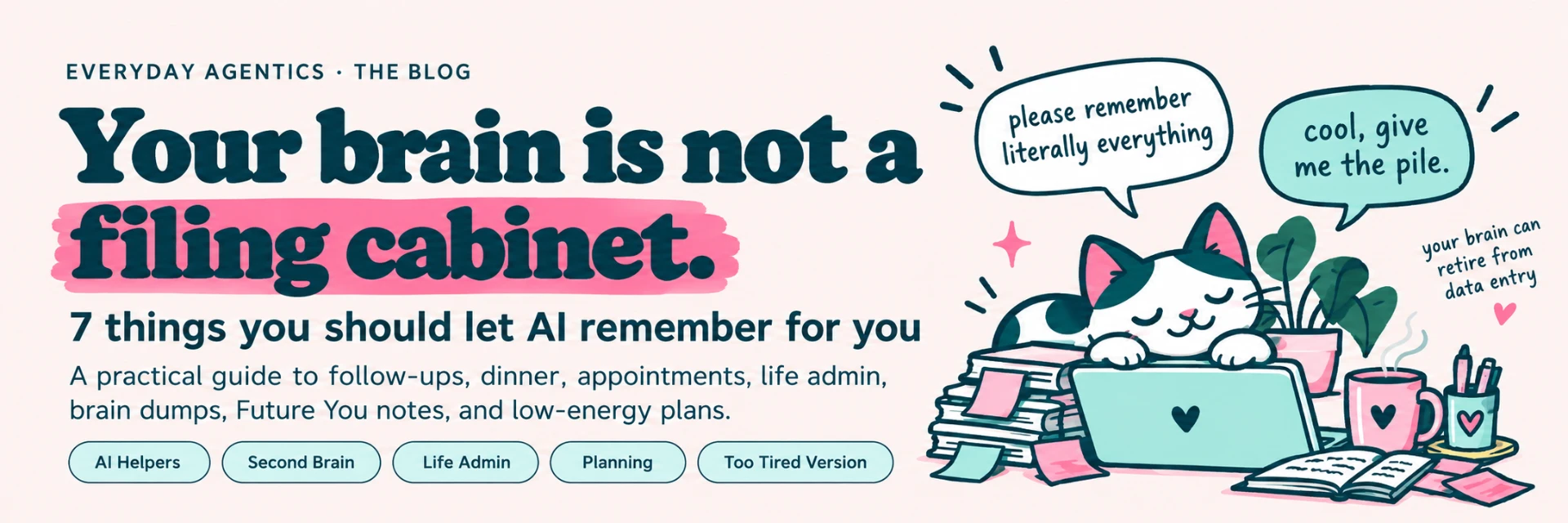
You do not need a better memory. You need fewer things requiring one.
If your brain is currently holding a dentist appointment, three emails you forgot to answer, what's going bad in the fridge, a bill due Thursday, the thing your kid needs for school, and the name of the person you promised to follow up with two Tuesdays ago...
Congratulations.
You are apparently running an unpaid internal database.
This is a terrible use of a human.
And it's one of the places AI can actually be useful.
Not "write me a poem about quarterly earnings" useful. Not "optimize my synergistic workflow" useful.
I mean:
Please hold this boring information so I can use my brain for literally anything else.
That's what I mean when I talk about using AI as a second brain.
Not replacing your brain. Not outsourcing every decision you make. Not creating an elaborate productivity system that needs a 46-minute YouTube tutorial before you can remember to buy toothpaste.
The goal is much smaller:
Stop making your brain store information that a tool can store for you.
At Everyday Agentics, we build systems around the person you already are rather than requiring you to become a different, more organized person first.
your brain can stop being the database
Here are seven good places to start.
1. People you need to follow up with
You know that weird little list floating around your brain?
- Email Sarah back.
- Ask Mike about the proposal.
- Did that recruiter ever answer?
- Somebody wanted a quote.
- Who?
- Cool. Excellent system.
Follow-ups are perfect AI-helper territory because they involve a bunch of small pieces of information that are individually boring and collectively exhausting.
Instead of relying on your brain to remember every loose end, keep a running follow-up list with your AI helper.
You could give it information like:
Prompt
Person: Jordan. What happened: Sent proposal Friday. Next step: Follow up if no reply. When: Wednesday.
Then ask:
Prompt
Who am I waiting to hear from, and who needs something from me?
Or:
Prompt
What are the three follow-ups I should handle today?
If you're job hunting, the same idea works for applications, recruiters, interviews, contacts, and thank-you notes.
If you run a business, it works for leads, quotes, invoices, potential clients, collaborations, and the person who said, "Circle back next month."
Your brain does not need to be your CRM.
2. What's in your fridge
There is a special kind of evening rage that comes from being hungry while surrounded by ingredients that apparently do not constitute food.
You open the fridge.
You stare.
You close the fridge.
You open it again as though dinner may have spawned while you were gone.
This is another job your brain does not need.
Tell your AI helper what you have.
Then tell it the part most meal-planning systems forget to ask:
How tired are you?
For example:
Prompt
I have eggs, spinach, tortillas, shredded cheese, half an onion, frozen chicken, and rice. I have approximately four brain cells available. Give me one dinner. No options.
That last sentence matters.
Sometimes five suggestions are not helpful.
Five suggestions are homework.
You can also ask it to keep a running list of foods that need to be used soon, meals people in your house actually liked, and ingredients you're missing.
The point isn't to become a Meal Prep Person™.
The point is to make "what's for dinner?" require fewer decisions.
3. Appointments, renewals, forms, and boring life admin
Life contains an absolutely unreasonable amount of paperwork for an experience none of us remember signing up for.
Appointments. Renewals. Insurance forms. School forms. Returns. Subscriptions. Registration deadlines.
The email that needs a three-sentence reply but has somehow become your mortal enemy.
Individually, none of these things is particularly difficult.
Together, they form a swarm.
This is where an AI life-admin helper can be useful.
Keep a running list of things that are open, then ask the AI to help you sort them by:
- what has a deadline,
- what takes under five minutes,
- what needs information from someone else,
- what can wait,
- and what Future You is going to be extremely annoyed about.
For example:
Prompt
Here is my current admin pile. Sort it into: do today, do this week, waiting on someone, and ignore for now.
That is much kinder than expecting yourself to mentally juggle 17 unrelated tasks all day.
Your brand calls these "admin goblins": appointments, forms, renewals, and emails you've been avoiding, drafted and queued.
Frankly, excellent name.
4. The stuff currently bouncing around your head
This might be the most useful one.
Do not organize it first.
That defeats the purpose.
Dump it.
All of it.
For example:
Prompt
Need dog food, call dentist, birthday gift for Dad, what happened to that Amazon return, finish presentation, laundry exists unfortunately, need passport photo, email Jamie, dinner??, book hotel, cancel free trial, probably should drink water.
Then tell the AI:
Prompt
Sort this for me. Don't turn it into a giant productivity system. Tell me what needs a date, what needs an action, what can wait, and what three things matter most today.
This is one of the biggest shifts when you start using AI well:
You do not have to prepare your thoughts for the tool.
The sorting can be the tool's job.
Your job is to get the stuff out of your head.
5. What you tried before — and why it failed
One of the most annoying parts of restarting anything is having to rediscover the same information.
You try a morning routine.
It works beautifully for eleven days.
Then life happens.
Three months later, you decide to "get organized" again and invent almost the exact same routine.
And, shockingly, it fails for almost the exact same reason.
Your AI helper can keep the receipts.
Tell it things like:
Prompt
I tried doing admin at 8 a.m. I hated it and kept avoiding it.
Or:
Prompt
Meal planning seven days at a time was too much. Three days worked better.
Or:
Prompt
I stop checking any app that requires me to manually update ten fields.
Now the next time you make a plan, you can ask:
Prompt
Based on what I've told you before, what tends to make my systems fall apart?
That is much more useful than starting every Monday with the assumption that this time you will become an entirely different human.
The goal is not consistency at all costs.
The goal is a system that learns what actually works for you.
6. Things Future You needs to know
Future You is doing their best.
Future You is also getting absolutely no support from Present You.
We can fix that.
AI is useful for storing little bits of context you know you'll need later:
- gift ideas someone casually mentioned,
- travel information,
- things you need to pack,
- what size filter the furnace takes,
- which toner cartridge the printer uses,
- questions to ask at an appointment,
- what you promised to bring,
- notes from a conversation,
- things to revisit next month,
- lessons learned from a project,
- recurring problems and how you solved them.
The principle is:
If Future You will need context, leave Future You context.
For example:
Prompt
Save this as a note for Future Me: when I book this hotel again, ask for a room away from the elevator.
Or:
Prompt
Keep a running birthday gift list. When I mention someone wanting something, add it.
A warning here: whether an AI assistant can retain information across conversations depends on the specific tool, account, settings, and features you're using.
For important dates and true reminders, use a calendar, reminder app, or task system that will actually notify you.
AI can help organize the information.
It should not become the only place an important deadline exists.
7. Your "I cannot deal with this today" plan
This may be the most important one.
Every system works beautifully when you are rested, focused, caught up, hydrated, and apparently living in a productivity commercial.
That is not when you need the system most.
You need it when you have 11% battery.
So build the low-energy version before you need it.
You can tell your helper:
Prompt
When I say "Gremlin Mode," assume I'm tired and overwhelmed. Reduce the plan. Give me one essential thing, one easy thing, and permission to move everything else.
Or:
Prompt
Here is my normal weekly routine. Make me a version for a week when I have half the energy.
Or:
Prompt
I cannot do this whole list today. What is the smallest version that prevents tomorrow from becoming worse?
That is not failure.
That is adaptation.
Every Everyday Agentics build includes a "Too Tired Version": a smaller version that can still produce a useful result without turning low energy into another reason to feel behind.
Your systems should work on your actual life.
Not only your best days.
Build this now: your "Hold This for Me" helper
You can start with one AI chat.
You do not need a complicated setup.
Open the AI assistant you already use and paste this:
Prompt
You are my everyday memory and life-admin helper. I'm going to give you things I don't want to keep holding in my head: follow-ups, appointments, errands, ideas, things I promised people, household tasks, decisions I need to make, and things I'm afraid I'll forget. When I give you something, help me figure out whether it needs: an action, a date, a reminder in another tool, a follow-up, or somewhere to keep the information. When I brain-dump several things at once, organize them for me. Keep the system lightweight. Do not turn everything into a project. When I ask what matters today, give me no more than three priorities unless I request more. When I say Gremlin Mode, assume I have very little energy. Reduce the plan to the smallest useful version. If something needs a real notification or deadline reminder, tell me to put it in my calendar or reminder app rather than pretending you can notify me. Do not shame me for things I forgot, skipped, or left unfinished. Help me restart from where I am.
Then send one more message:
Prompt
Here are five things I am currently trying not to forget:
And dump them in.
Do not clean them up first.
Do not make categories.
Do not develop a tagging architecture.
Please do not open Notion and create seventeen databases.
Give the pile to the helper.
That's the point.
A quick privacy note before you dump your entire life into AI
AI can be extremely useful for organizing everyday information.
That does not mean every piece of information belongs there.
Avoid pasting passwords, authentication codes, full financial account details, highly sensitive medical records, confidential work information, or anything else you would not want stored or processed by the service you're using.
Check the privacy and data settings for your particular AI tool.
When possible, give the helper the context it needs, not every sensitive detail you possess.
"Doctor appointment Tuesday at 3" may be enough.
The entire medical chart probably is not.
Useful does not have to mean reckless.
The Too Tired Version
Do not want to build the whole helper right now?
Excellent.
Here is the ten-second version.
Open an AI chat and type:
Prompt
I have too much in my head. I'm going to dump it here. Sort it into: 1. needs attention today, 2. needs attention later, 3. waiting on someone else, 4. can be ignored for now. Then tell me the first thing to do.
Dump brain.
Receive first thing.
That counts.
Your brain has better things to do
Your brain is good at ideas.
Connections. Stories. Problems. People. Creativity.
Noticing that something feels off.
Remembering the exact lyric to a song you haven't heard since 1997.
It does not need to spend Tuesday afternoon desperately trying to remember whether you canceled the free trial.
Let the machines have some of the boring stuff.
You do not need to become more disciplined before AI can help you.
You do not need a perfect system.
And you definitely do not need another app making you feel guilty because you missed Thursday.
Start with one pile.
Give it somewhere else to live.
Then use your brain for something more interesting.